
Some of the top AI tools for proposal creation currently include Proposify, Gixo, Venngage, Wonit, and Lessie. Proposify turns call notes and messy inputs into polished draft sections fast. Gixo runs a deterministic readiness score on any RFP response, flagging every missed requirement before you hit send. Venngage produces a fully designed, export-ready PDF or PPT from a short prompt. Wonit handles the full proposal-to-signature workflow with a built-in legally binding e-signature and audit trail. Lessie pulls live prospect intelligence from numerous sources and generates a personalized opening quickly. The G2 proposal builder playbook notes that anchoring proposals to actual buyer intent can reduce drafting time significantly. That’s the bar these tools are built to clear.
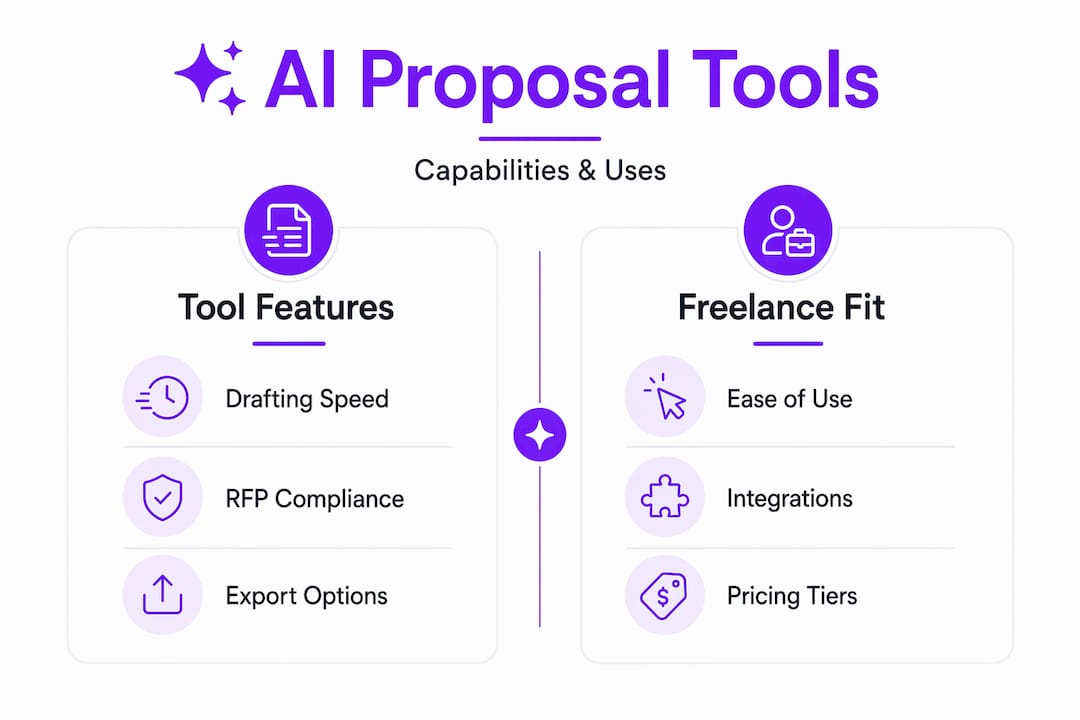
Table of Contents
- Which AI proposal tools compare best side by side?
- What each tool actually does in a real proposal workflow
- How do you pick the right AI proposal tool for your work?
- Three workflows you can run today
- How to write prompts that get usable proposal sections fast
- Which tool fits your freelance profile?
- Key Takeaways
- The tool isn’t the strategy
- Promptlyfreelance prompt packs make any tool faster
- Useful sources
Which AI proposal tools compare best side by side?
| Tool | Best for | Primary capability | Pricing / free tier | Exports & signatures | Integrations | Ease of use | Data control |
|---|---|---|---|---|---|---|---|
| Proposify | Drafting from messy inputs | AI section drafting from call notes, templates | Paid plans; free trial available | PDF, interactive web; e-signature included | CRM integrations | Low learning curve | Standard SaaS |
| Gixo | RFP compliance and technical proposals | Deterministic readiness scoring + structured drafting | Free trial; paid for AI generation | PDF, DOCX, HTML; no built-in e-signature | File upload (PDF, DOCX, XLSX, email) | Moderate | Upload-based; no LLM on analyzer |
| Venngage | Designed, visual proposals | Short prompt → designed PDF/PPT/PNG output | Free generation + PNG export; PDF/PPT on paid | PDF, PPT, PNG | Limited CRM | Very easy | Standard SaaS |
| Wonit | E-signature and deal workflow | Proposal-to-sign with fit score and go/no-go verdict | Not publicly listed | PDF; built-in legally binding e-signature + audit trail | RFP upload; deal intelligence | Easy | Secure timestamped audit trail |
| Lessie | High-volume personalized outreach | Prospect-intel personalization from 100+ sources | Free tier available | Standard export | SaaS, agency, freelance frameworks | Very easy | Standard SaaS |

A few trust signals worth noting: Gixo’s readiness analyzer uses regex and token-overlap logic rather than an LLM, so the compliance scoring is deterministic and auditable. Wonit’s audit trail makes e-signatures legally defensible without a third-party tool. Venngage’s free tier lets you generate and export as PNG before committing to a paid plan.
For a broader look at how these fit into a full freelance toolkit, the best AI tools for freelancers analysis on Promptlyfreelance covers ROI and workflow fit across categories.
What each tool actually does in a real proposal workflow
Proposify
Proposify’s AI generator accepts call notes, meeting transcripts, and project requirements, then drafts executive summaries, cover letters, scopes of work, and project approaches. You paste in your raw notes, pick a template, and edit from there. For a freelancer finishing a discovery call at 4 PM who needs a proposal by morning, that input-to-draft path is the whole value.
- Best at: Turning unstructured notes into structured proposal sections
- Typical inputs: Call notes, project requirements, past proposals
- Freelance use: Paste discovery call notes → generate executive summary and SOW → edit and send within the hour
Gixo
Gixo operates in two distinct modes. Its Arc drafting workspace reads uploaded files (RFPs, architecture docs, API specs, decks) and applies one of 21 proposal-type structures to produce a reviewable first draft with PDF, DOCX, or HTML export. Its separate Proposal & RFP Analyzer runs entirely without an LLM, extracting up to 60 distinct requirements, flagging obligation language like “shall” and “must,” and returning a 0–100 readiness score.
- Best at: Compliance checks and technical implementation proposals
- Typical inputs: RFP documents, architecture notes, API specs, case studies
- Freelance use: Upload RFP → run analyzer → see exactly which requirements are unaddressed → fix gaps → export
Pro Tip: Run Gixo’s analyzer on every RFP response before sending. It catches missing acceptance criteria, undefined acronyms, and unfilled placeholders that are easy to miss when you’re editing under deadline pressure.
Venngage
Venngage takes a short text prompt and returns a fully designed proposal with layout, color, and typography already applied. Free users can generate and export as PNG; PDF and PPT export require a paid plan. The output looks like a designer built it, not like a word processor spit it out.
- Best at: Visual, designed proposals for pitches and presentations
- Typical inputs: Short prompt describing the project and client
- Freelance use: Write a two-sentence prompt → customize colors and branding → export PDF for client pitch
Wonit
Wonit covers the full arc from RFP upload to signed deal. After generating a proposal, it assigns a fit score and a go/no-go verdict based on the RFP content, then lets clients sign directly in the proposal with a timestamped audit trail. No separate DocuSign account needed.
- Best at: Proposals that need to close, not just impress
- Typical inputs: RFP documents, deal context
- Freelance use: Upload RFP → generate proposal → share link → client signs → audit trail auto-saved
Lessie
Lessie searches funding announcements, hiring signals, tech stack data, and company milestones to write a prospect-aware opening before you’ve typed a word. It claims 30-second first drafts with pre-tuned frameworks for SaaS, agencies, and freelance services. For freelancers sending high volumes of outreach proposals, that personalization at scale is the differentiator.
- Best at: Personalized B2B outreach proposals at volume
- Typical inputs: Prospect company name, service type
- Freelance use: Enter prospect name → Lessie pulls signals → generates personalized opening → complete the proposal in your preferred tool
Both Wonit and Gixo support knowledge-base or uploaded-materials workflows, where past proposals and case studies feed the drafting process and improve first-draft quality without starting from scratch each time.
How do you pick the right AI proposal tool for your work?
The decision comes down to six factors: what inputs you’re starting from, how polished the output needs to look, whether you need e-signatures, how much RFP compliance matters, what integrations your workflow requires, and what you’re willing to pay.
Questions to ask before committing:
- What do I usually start with? (Call notes → Proposify; RFP documents → Gixo; short prompt → Venngage; prospect name → Lessie)
- Does the client need to sign inside the proposal, or do I handle signatures separately?
- Do I respond to formal RFPs with compliance requirements? If yes, deterministic checking is non-negotiable.
- How important is visual design? A plain PDF is fine for some clients; a designed deliverable closes others.
- What’s my volume? High-volume outreach favors Lessie’s personalization speed.
- What’s my budget? Free tiers exist for Gixo (analyzer, no AI generation), Venngage (PNG export), and Lessie.
Red flags to watch for:
- No export to PDF or DOCX — you lose control of the final document
- Vague “AI compliance checking” with no explanation of the method (black-box claims aren’t auditable)
- No clarity on data retention — your proposal content includes client-sensitive details
- E-signature described as “coming soon” when you need it now
Timeline and cost expectations: A fast text draft from messy notes typically takes 10–30 minutes with Proposify or Lessie. A fully designed deliverable in Venngage adds 15–30 minutes of customization on top of generation. A compliance-checked RFP response through Gixo, including review and gap-fixing, runs 1–3 hours depending on RFP complexity. Free tiers cover basic generation and limited export; PDF/DOCX export and collaboration features generally require a paid subscription.
For a practical look at free AI proposal tools and how to get started without spending anything, Promptlyfreelance has a step-by-step workflow guide worth bookmarking.
Three workflows you can run today
Workflow A: Fast draft from call notes (10–30 minutes)
- Immediately after a discovery call, paste your raw notes into Proposify’s AI generator.
- Select the relevant template (consulting, design, development).
- Generate executive summary, scope of work, and pricing section.
- Edit for accuracy — AI output is a starting point, not a final draft.
- Send or share the link directly from Proposify.
The G2 playbook recommends keeping proposals to four pages maximum to improve engagement. Let that constrain your editing pass.
Workflow B: Designed deliverable for a pitch (30–60 minutes)
- Write a two-to-three sentence prompt describing the project, client industry, and key deliverables.
- Generate in Venngage — the output arrives with layout and design applied.
- Swap in your brand colors, logo, and any client-specific details.
- Export as PDF for email delivery or PPT for a live presentation.
For RFP-heavy technical work, RFP Forge AI is worth evaluating alongside Venngage for structured proposal generation.
Workflow C: Compliance-checked RFP response (1–3 hours)
- Upload the RFP to Gixo’s Arc workspace and select the matching proposal type.
- Generate a structured first draft with sections buyers and approvers expect.
- Run the Gixo Analyzer on the draft — review the 0–100 readiness score and the requirement matrix.
- Fix every “Not Addressed” requirement and resolve flagged obligation language.
- Export as PDF or DOCX, then share via Wonit to collect a legally binding e-signature with a timestamped audit trail.
How to write prompts that get usable proposal sections fast
Better inputs produce better proposals. Vague prompts generate generic output; specific prompts generate sections you can actually send.
Four prompt templates for common sections:
- Executive summary: “Write a 150-word executive summary for a [service type] proposal. The client is [company name], their goal is [specific outcome], and the main challenge is [pain point].”
- Scope of work: “List five deliverables for a [project type] engagement. Each deliverable should include a description and one acceptance criterion.”
- Timeline/milestones: “Create a four-week project timeline for [project type] with milestone names, owners, and completion criteria.”
- Pricing justification: “Write two paragraphs justifying a $[amount] fee for [service]. Reference the time investment, expertise required, and client ROI.”
Before sending, check every draft against this list:
- All “shall” and “must” requirements from the RFP are addressed
- No unfilled placeholders ([CLIENT NAME], [DATE], [AMOUNT])
- Acceptance criteria are defined for each deliverable
- Signature block and terms are present
- No undefined acronyms
- Proposal length matches the RFP’s stated page limit
Pro Tip: Feed two or three of your past winning proposals into Gixo or Wonit’s knowledge base before drafting. The tool learns your structure and tone, and the first draft arrives closer to final.
Feeding past proposals and case studies into a tool’s knowledge base reduces rewrite time and improves relevance to buyers. This is especially useful for consultants who pitch similar engagements repeatedly. For a deeper walkthrough of the full AI proposal lifecycle, the complete guide to using AI for client proposals on Promptlyfreelance covers this in detail.
Which tool fits your freelance profile?
-
Solo designer or creative: Venngage. The designed output matches the visual standard clients expect from a creative professional, and the prompt-to-PDF path requires no design work.
-
Technical integrator or developer: Gixo. It reads architecture docs and API specs natively and produces structured sections with acceptance criteria and commercial terms that technical reviewers trust.
-
Consultant on recurring small contracts: Proposify. The template library and knowledge-base reuse mean your second proposal takes a fraction of the time your first one did.
-
High-volume outreach freelancer: Lessie. Personalization at scale is the only way to send 20 proposals a week without every opening sounding identical.
-
Anyone closing deals that require a signature: Wonit. The built-in audit trail removes the friction of a separate e-signature tool and keeps the deal moving.
Promptlyfreelance prompt packs work as a lightweight layer on top of any of these tools. If you’re not ready to commit to a full platform subscription, a prompt pack gives you tested templates for pitch openers, SOW sections, and pricing rationale that you can run through any AI tool you already use. Start with the free tier of your chosen platform, run one real proposal through it, and measure the time saved against your current process.
Key Takeaways
The best AI tools for proposal creation match specific freelance jobs: fast drafting, designed exports, RFP compliance, e-signature workflows, and prospect-led personalization.
| Point | Details |
|---|---|
| Match tool to input type | Call notes → Proposify; RFP docs → Gixo; short prompt → Venngage; prospect name → Lessie. |
| Compliance checks prevent costly misses | Gixo’s deterministic analyzer extracts up to 60 requirements and returns a 0–100 readiness score without using an LLM. |
| E-signature belongs in the workflow | Wonit’s built-in legally binding e-signature and audit trail removes the need for a separate signing tool. |
| Better inputs cut revision time | Feeding past proposals and case studies into a knowledge base improves first-draft quality and reduces rewriting. |
| Promptlyfreelance prompt packs | Ready-to-use prompt templates for SOWs, pitch openers, and pricing rationale work as a low-cost add-on to any platform. |
The tool isn’t the strategy
Most freelancers pick a proposal tool based on the demo video, not on what their actual workflow looks like at 11 PM before a deadline. That’s backwards.
The real question is where your proposals break down. If you’re losing time staring at a blank page after a discovery call, a drafting tool like Proposify solves that. If you’re losing deals because your proposals look like Word documents and your competitor’s look like agency decks, Venngage solves that. If you’re responding to formal RFPs and occasionally missing a buried requirement, Gixo’s deterministic analyzer is the only tool that actually catches those gaps reliably — because it doesn’t guess, it checks.
The habit worth building: run a readiness check on every proposal before it leaves your hands. Not because AI drafts are sloppy, but because the pressure of a deadline makes humans sloppy. A deterministic check doesn’t get tired.
One more thing most guides skip: data control. Your proposals contain client names, project scopes, pricing, and sometimes confidential strategy. Before you upload anything to a new tool, read the data retention policy. “Standard SaaS” is not a privacy guarantee.
Promptlyfreelance prompt packs make any tool faster
Every platform above gets you a first draft. What slows freelancers down is the editing pass: rewriting a generic executive summary into something that sounds like you, fixing a scope section that doesn’t match how you actually work, or justifying a price point in language that converts.
Promptlyfreelance prompt packs solve exactly that. Each pack includes tested, ready-to-use prompts for pitch openers, scope of work sections, pricing rationale, and follow-up sequences, built specifically for freelancers. They work inside Proposify, Gixo, Venngage, or any AI tool you’re already using. No new platform to learn, no subscription required. Browse the AI prompt marketplace to find packs matched to your service type, or explore the full proposal template alternatives guide to see how prompt-driven workflows compare to traditional templates. Pick one pack, run it on your next proposal, and see how much of the editing pass disappears.
Useful sources
- Proposify AI Proposal Generator — feature details on drafting from call notes and project requirements, template library, and integrations
- Gixo Proposal & RFP Analyzer — how deterministic readiness scoring works, requirement extraction logic, and the 9-point checklist
- Gixo Arc Drafting Workspace — file upload types, 21 proposal structures, export formats, and free trial details
- Gixo AI Tech Implementation Proposal Generator — structured section generation from architecture docs and API specs
- Venngage AI Proposal Generator — designed output claims, free PNG export, and PDF/PPT paid export details
- Wonit — end-to-end proposal-to-sign workflow, fit score, go/no-go verdict, and legally binding e-signature with audit trail
- Lessie AI Proposal Generator — prospect-intel personalization from 100+ sources, 30-second draft claims, and framework options
- G2 Proposal Builder Playbook — buyer-intent anchoring and proposal length guidance for reducing drafting time