
AI tools are software applications that use machine learning, natural language processing, or computer vision to perform tasks that previously required human effort. The best examples of AI tools fall into four functional categories: chatbots, creative content generators, coding assistants, and business analytics platforms. Pricing tiers frequently start at $0 for basic access, with professional subscriptions averaging $20–$50 per user per month as of Q2 2026. That range makes AI accessible to solo freelancers and enterprise teams alike. Knowing which category solves your specific problem is the fastest way to get real value from any AI software.
1. What are examples of AI tools for everyday productivity?
AI productivity tools are the broadest category, covering everything from meeting summarizers to inbox managers. The defining trait is automation of repetitive cognitive work, such as drafting replies, organizing notes, and scheduling tasks. Freelancers and professionals reduce time spent on repetitive tasks by 30–50% using AI tools like email management and note-taking apps. That kind of time savings compounds fast across a full workweek.
Popular examples in this category include Notion AI for knowledge management, Otter.ai for meeting transcription, and Google Workspace’s built-in Gemini features for drafting and summarizing. Each tool targets a specific friction point in daily work. The 2–4 week learning curve is real, but the payoff arrives quickly once you build consistent habits around the tool.

Pro Tip: Start with one productivity tool that addresses your single biggest time drain. Mastering one tool fully beats dabbling in five at once.
2. AI chatbots and how they aid productivity
AI chatbots are conversational systems that respond to natural language inputs, retrieve information, draft content, and handle repetitive queries without human intervention. ChatGPT and Claude are the two most widely adopted general-purpose chatbots for professional use. Both support multi-modal inputs, meaning you can submit text, images, and documents in the same conversation.
The practical use cases are broad. A freelance writer uses a chatbot to brainstorm article angles in minutes. A customer support team routes common questions through a chatbot before escalating to a human agent. A business analyst pastes raw data into a chat window and asks for a plain-English summary.
- Information retrieval: Pull facts, summarize documents, and answer domain-specific questions fast.
- Drafting assistance: Generate first drafts of emails, proposals, and reports.
- Brainstorming: Generate lists of ideas, counterarguments, or creative angles on demand.
- Customer support: Handle frequently asked questions without human involvement.
Claude is particularly strong for long-document analysis due to its large context window. ChatGPT’s plugin and GPT store ecosystem makes it more extensible for custom workflows. Both offer free tiers with usage limits and paid plans that unlock higher usage and advanced models.
Pro Tip: Treat chatbot outputs as a first draft, not a final product. Your judgment on accuracy and tone is the quality filter that makes the output usable.
3. Creative and content generation AI tools for professionals
AI content generation tools produce written copy, images, video, and voice audio from text prompts. This category has the widest range of use cases across marketing, education, and media production. The speed advantage is significant: a marketing team can produce a full campaign brief, social graphics, and a product demo video in a single afternoon using the right combination of tools.
Writing assistants like Jasper AI specialize in marketing copy, with templates for ads, landing pages, and email sequences. Jasper’s brand voice feature lets teams lock in tone and style guidelines so every output stays consistent. For freelance writers dealing with common writing challenges, AI writing tools cut research and drafting time dramatically.
Image and video generation tools have matured quickly. Canva’s Magic Studio integrates AI image generation directly into its design workflow, which means non-designers can produce professional visuals without a separate app. Synthesia generates talking-head videos from a script and an AI avatar, removing the need for cameras, studios, or on-screen talent. ElevenLabs produces realistic voice audio from text, which is useful for podcasts, e-learning modules, and video narration.
- Jasper AI: Marketing copy, blog posts, and ad creative with brand voice controls.
- Canva Magic Studio: AI-generated images and design elements inside a familiar drag-and-drop interface.
- Synthesia: Script-to-video generation with customizable AI avatars.
- ElevenLabs: High-quality voice synthesis for narration and audio content.
Free tiers exist across most of these tools, though output volume and resolution are capped. Paid plans for content generation tools typically fall in the $20–$50 per month range, consistent with broader AI pricing trends. The ROI calculation is straightforward: one hour of AI-assisted content production replaces several hours of manual work.
4. AI coding assistants that accelerate software development
AI coding assistants integrate directly into development environments and suggest code completions, flag bugs, and explain unfamiliar code in plain English. The category has moved well beyond simple autocomplete. Modern tools understand multi-file project context and can refactor entire modules based on a single instruction.
GitHub Copilot is the most widely adopted coding assistant, embedded inside Visual Studio Code and JetBrains IDEs. It suggests line completions and full function bodies based on the surrounding code and comments. Cursor is a newer entrant built as a standalone IDE with deeper AI integration, allowing developers to describe a feature in natural language and watch the tool write and place the code across multiple files.
- GitHub Copilot: In-editor code suggestions, test generation, and pull request summaries.
- Cursor: Full IDE with multi-file AI editing, natural language code generation, and codebase chat.
- Debugging aid: Both tools explain error messages and suggest fixes in plain English.
- Code review: AI flags potential security issues and style inconsistencies before human review.
The productivity impact for developers is measurable. Repetitive boilerplate code, unit test generation, and documentation writing are the tasks where AI coding assistants save the most time. Subscription costs for these tools sit in the standard $20–$50 per month range, which most development teams recover in hours within the first week of use.
Pro Tip: Write detailed comments before you write code. AI coding assistants generate far better suggestions when they have clear intent to work from.
5. Business analytics and workflow automation AI tools
Business analytics platforms with AI capabilities translate raw data into decisions without requiring a data science background. Workflow automation tools connect separate apps and trigger actions across them automatically. Together, these two tool types remove the manual labor from data-driven work.
Tableau GPT adds natural language querying to Tableau’s existing visualization engine. A sales manager can type “show me last quarter’s revenue by region” and receive a formatted chart without writing a single formula. Microsoft Power BI offers similar natural language features and integrates tightly with Microsoft 365, making it the default choice for teams already inside that ecosystem.
Zapier and Make (formerly Integromat) handle workflow automation by connecting apps through triggers and actions. A new lead in a CRM can automatically create a task in a project management tool, send a Slack notification, and add a row to a Google Sheet, all without human input. AI tools now execute multi-step actions across applications, moving beyond simple prompting toward full workflow orchestration. That shift means automation platforms are becoming closer to autonomous agents than simple connectors.
For business professionals evaluating tools, the integration question is the first filter. A tool that does not connect to your existing stack creates more work than it removes.
- Identify your data source: Confirm the tool connects natively to your CRM, spreadsheet, or database.
- Test natural language queries: Run three real business questions and evaluate the accuracy of the output.
- Check automation depth: Verify the tool supports multi-step workflows, not just single triggers.
- Review security documentation: Confirm SOC 2 compliance and data processing agreements before connecting live business data.
6. How to choose the best AI tools for your needs
The best AI tool for any professional is the one that targets a specific workflow bottleneck, not the one with the most features. Matching tool features to your specific workflow bottlenecks drives higher ROI and usability than selecting by brand name alone. That principle sounds obvious, but most professionals skip the bottleneck analysis and jump straight to downloading whatever tool is trending.
Four criteria separate useful AI tools from expensive distractions:
- Integration: Does the tool connect to the apps you already use daily? A writing assistant that does not plug into your content management system adds a copy-paste step to every task.
- Security and privacy: SOC 2 compliance and data training opt-out options are non-negotiable for professional use involving client or proprietary data.
- Usability: A tool you use inconsistently delivers no value. Prioritize interfaces your team will actually open every day.
- Domain accuracy: General-purpose AI tools make errors in specialized fields. Test any tool against real tasks from your domain before committing to a paid plan.
“The most common pitfall is adopting an AI tool without verifying its data privacy compliance first. One misconfigured setting can expose client data to a third-party training pipeline.”
Map your existing workflows manually before selecting any tool. Identify the three tasks that consume the most time or cause the most errors. Then choose AI tools aimed specifically at those tasks. That incremental approach produces faster results than attempting a full workflow overhaul at once.
Key Takeaways
The most effective AI tool strategy matches specific tools to specific workflow bottlenecks, starting with free tiers to validate fit before committing to paid plans.
| Point | Details |
|---|---|
| Four core categories | AI tools divide into chatbots, content generators, coding assistants, and analytics platforms. |
| Start with free tiers | Most tools offer $0 entry points; test before paying $20–$50 per month. |
| Privacy check first | Verify SOC 2 compliance and data opt-out options before connecting business data. |
| Match tool to bottleneck | Identify your top three time drains, then select tools that target those specifically. |
| Prompt engineering matters | Reusable context blocks improve output consistency across every AI tool you use. |
What I’ve learned from using AI tools daily for two years
The productivity gains from AI tools are real, but they do not arrive automatically. The professionals I see getting the most value treat AI as a second brain, not a replacement for their own judgment. They use it to handle drafting, research, and formatting while keeping strategic decisions and client relationships firmly in human hands.
The shift I find most interesting right now is the move from generation to orchestration. A year ago, AI tools produced content when you asked. Today, AI tools act autonomously, executing sequences of tasks across multiple apps without a human triggering each step. That is a fundamentally different relationship with software, and most professionals are not yet using it.
The single habit that improved my AI output quality more than any other was building a library of reusable prompts with context blocks. Each block describes a project’s tone, audience, and goals. Pasting that block at the start of any AI session produces consistent results without re-explaining everything from scratch.
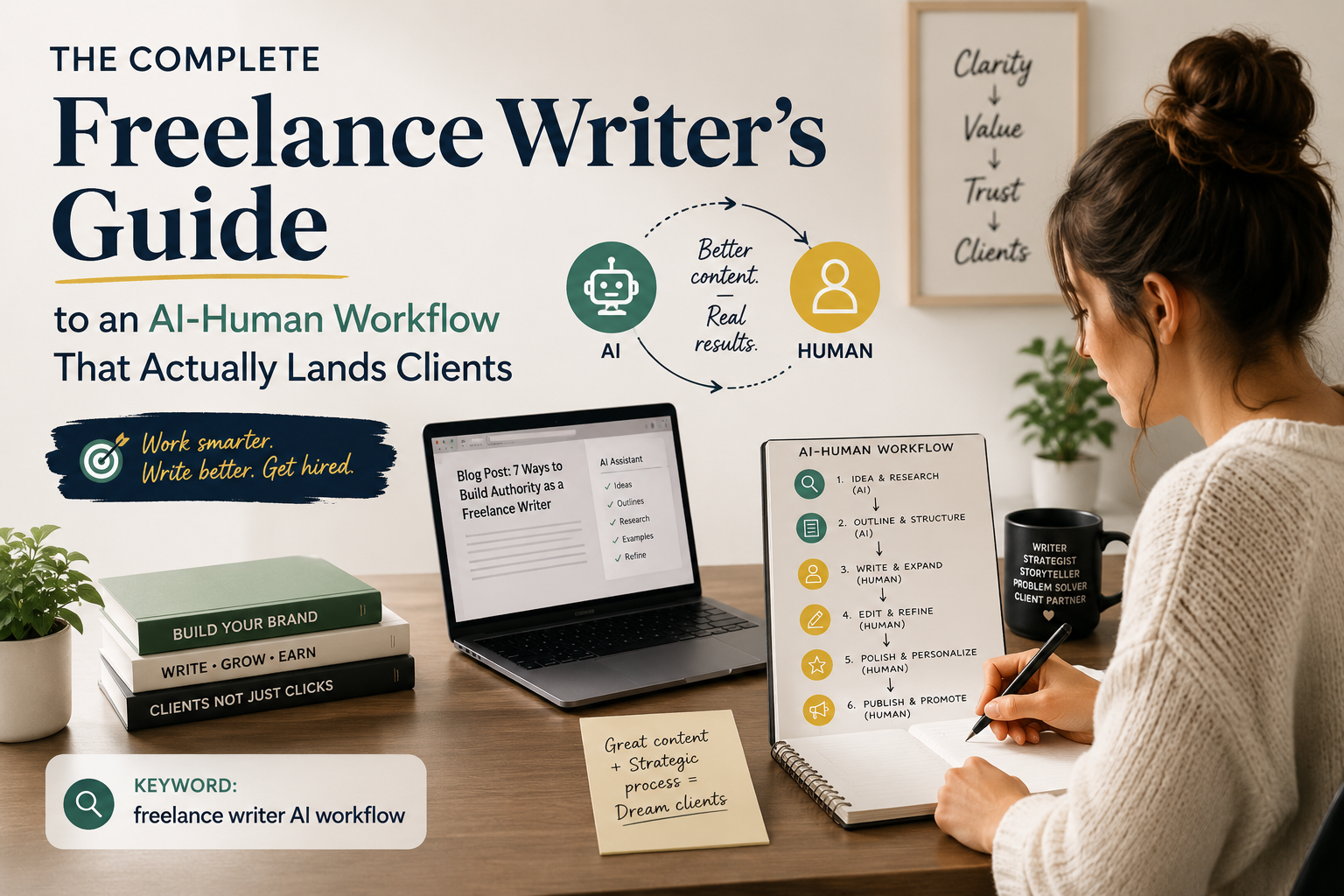
My honest advice: pick one category from this list, identify your worst bottleneck inside that category, and spend two weeks using one tool to address it. You will learn more from that focused experiment than from reading every AI tool review published this year. The AI-human workflow that actually works is the one you build around your real tasks, not the one that looks best in a demo.
— Alisha
Promptlyfreelance resources for freelancers using AI tools
Freelancers face a specific version of the AI tool problem: limited time, no IT department, and a constant need to produce client-ready work fast. Promptlyfreelance is built for exactly that situation, offering curated prompts, step-by-step workflow guides, and tool recommendations tailored to freelance work.

The best AI tools for freelancers guide on Promptlyfreelance covers performance, ROI, and future-proofing your business across every major tool category. If you are looking for free options to start, there is a dedicated guide covering six tools with zero cost to entry. Promptlyfreelance gives you the frameworks to pick the right tool and use it well from day one.
FAQ
What are the main examples of AI tools?
The main categories are AI chatbots (ChatGPT, Claude), content generators (Jasper AI, Canva Magic Studio, Synthesia), coding assistants (GitHub Copilot, Cursor), and business analytics platforms (Tableau GPT, Power BI). Each category targets a different type of professional task.
Are there free AI tools available online?
Most major AI tools offer free tiers with usage limits, including ChatGPT, Canva Magic Studio, and Notion AI. Professional subscriptions average $20–$50 per user per month for full access.
How do I choose the best AI tool for my workflow?
Identify your top three workflow bottlenecks first, then select tools that target those specific tasks. Matching features to bottlenecks delivers higher ROI than choosing by brand recognition alone.
What security checks should I run before adopting an AI tool?
Check for SOC 2 compliance and confirm the tool offers a data training opt-out option. These two features protect client and proprietary data from being used to train third-party AI models.
How long does it take to see productivity gains from AI tools?
Most professionals see measurable time savings within 2–4 weeks of consistent use. The learning curve is real, but productivity gains of 30–50% on repetitive tasks are achievable once the tool is integrated into daily habits.