
Writing a web development proposal that wins client work often takes too long and wastes hours on new drafts. Many templates force manual copy-paste or lock useful features behind paid courses, limited integrations, or slow team approval. This comparison breaks down features, pricing, and workflow fit across five web development proposal tools so freelancers and small agencies can pick one that reduces prep time and matches their workflow.
Table of Contents
Promptly Freelance
At a Glance
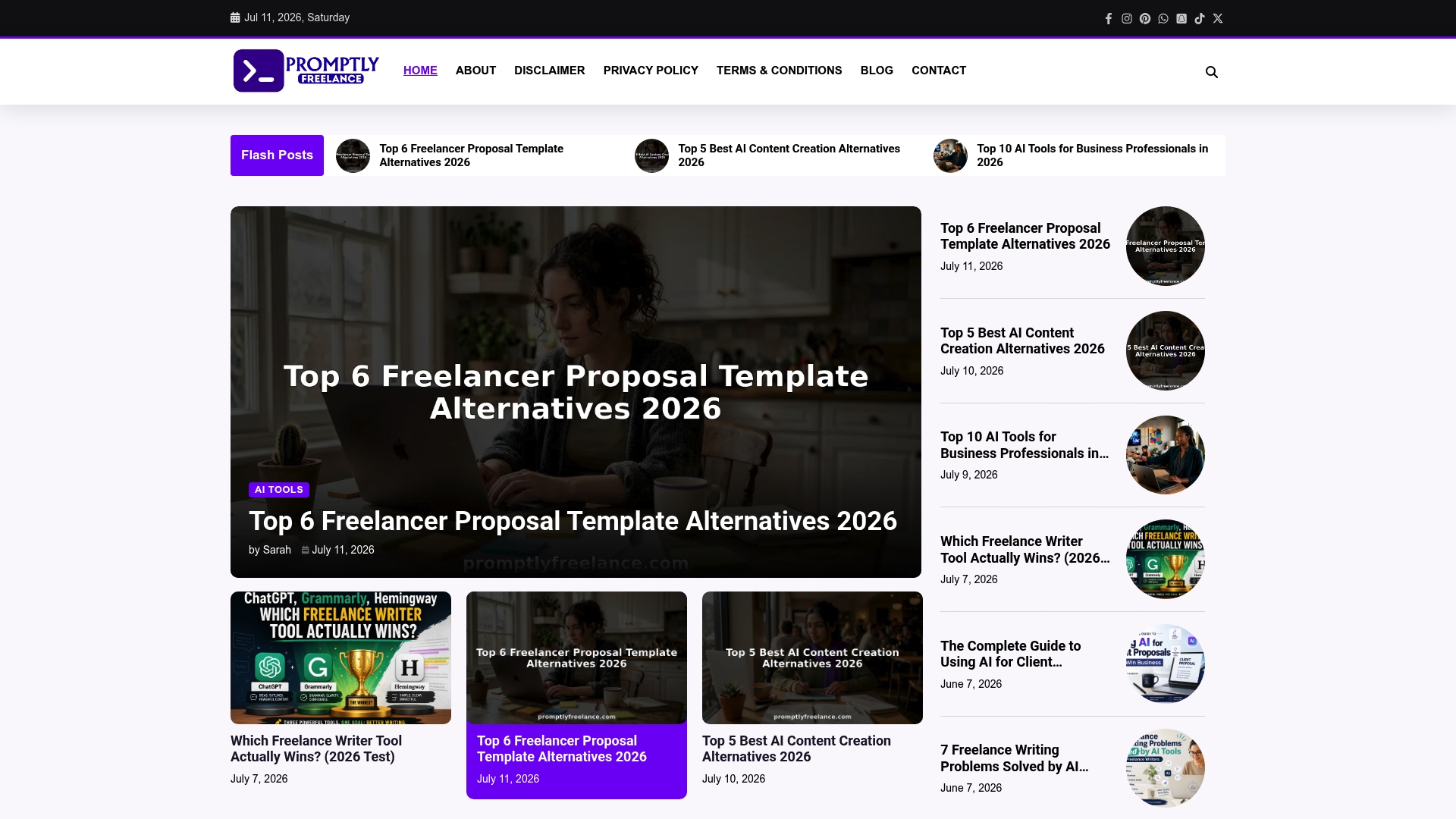
The site publishes ready-to-use prompts that freelancers can copy into client proposals and outreach. It focuses on prompt engineering for ChatGPT and Midjourney and pairs those prompts with real project case studies. The material deliberately avoids upselling or paid courses and aims to teach prompts that you can use immediately.
Core Features
The collection includes ready-to-use prompts for proposals, outreach, and content, plus step-by-step guides that show how those prompts performed in real projects. A community forum supplies direct responses from experts so you can refine prompts and pricing language. The resources also cover practical topics like scope management and delivering AI-generated assets.
Key Differentiator
The core advantage is the link between prompts and documented freelance outcomes. Case studies explain how a prompt produced a proposal outline, a pricing paragraph, or a client email that led to work. That focus on testable, human-centered workflows separates this community resource from generic prompt lists.
Pros
The site offers prompts that you can reuse and adapt immediately for client work, cutting proposal prep to minutes rather than hours. Community replies help you adjust tone, scope, or pricing language for a specific client or niche. Free tutorials and case studies teach price framing, negotiation talking points, and delivery notes without pushing paid courses.
Cons
- Limited to educational content and prompt examples; no integrated tools or automation features
Who It’s For
Freelancers and solo consultants who want practical prompt techniques and project-tested templates will get the most value. It fits people comfortable learning and editing prompts themselves rather than those who want a plug-and-play app. Small agency owners who train junior contractors on proposal language will also find the case studies useful.
Unique Value Proposition
The platform pairs tested prompts with community feedback and real project writeups so you can reuse exact language that has worked in client pitches. That approach shortens proposal drafting time and clarifies how to present AI work to clients. The lack of upsells means the learning path stays focused on repeatable prompts and negotiation notes you can apply right away.
Real World Use Case
A freelance graphic designer copies a proposal-outline prompt, then posts the draft to the community for pricing feedback. After one round of edits guided by members, the designer sends a sharper pricing paragraph and wins the job. The prompts then become a reusable template across future pitches.
Website: https://promptlyfreelance.com
Bonsai
At a Glance
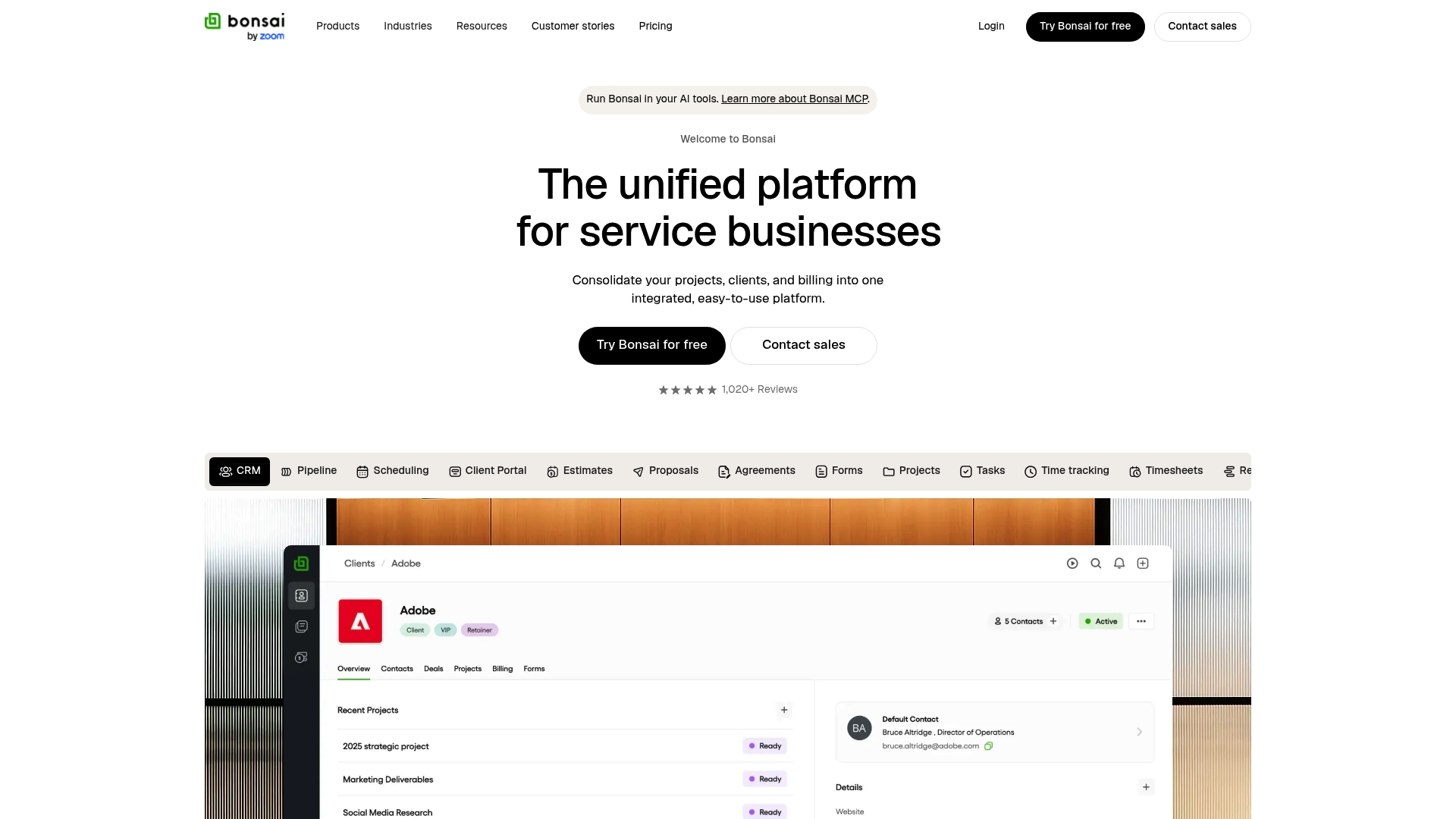
Bonsai’s marketing materials state some advanced features are scheduled for release in 2025 and 2026. The product combines client CRM, proposals, contracts, task management, and invoicing in a single workspace. Pricing runs from $9 to $59 per user per month with annual billing options and a free trial.
Core Features
Bonsai centralizes client management with proposals, contracts, agreements, and a client portal alongside a simple CRM. Project tools include task lists, a Gantt view, time tracking, and project insights that connect to billing. Financial features cover invoicing, payments, expense tracking, budgeting, plus automation for workflows and reporting.
Key Differentiator
Bonsai focuses on service businesses by combining project, client, and finance capabilities in one product that scales from solo freelancers to larger teams. That single workspace reduces the need to juggle separate project and accounting tools for routine client work.
Pros
The platform reduces app switching by gathering CRM, proposals, contracts, project planning, and invoicing in the same place. Automations and the integration set save setup time once linked to tools like QuickBooks Online and Zapier. Support and onboarding are emphasized, which helps teams adopt the product faster and get invoicing and proposals running quickly.
Cons
-
Some advanced features are planned for 2025 and 2026. Those features are not available yet and may affect long term road maps.
-
Pricing rises for premium tiers and larger teams. Small or solo operators may find higher tiers costly for advanced features.
-
Several advanced automations rely on third party integrations. That dependency can add setup time and occasional maintenance.
When It May Not Fit
If you need every advanced feature immediately, Bonsai may not match your timeline because of the scheduled rollouts. Very small solo businesses on a tight budget may prefer a lower cost tool until they grow. Teams that require native tools instead of integration driven automations should evaluate alternatives.
Notable Integrations
- QuickBooks Online
- Xero
- Zapier
- Calendly
- Gmail
- Google Calendar
- Slack
- Google Sheets
Who It’s For
Bonsai suits service based small to medium sized businesses, freelancers, and agencies that want a single system for proposals, projects, and billing. It fits teams that plan to centralize client work and financial tracking without buying separate products for each function. It also fits businesses willing to use integrations for specific automations.
Real World Use Case
A 15 person marketing agency uses Bonsai to manage client proposals and contracts, schedule tasks with the Gantt view, and automate invoicing after time entries. The agency links QuickBooks Online for accounting and uses Zapier to push project events into Slack channels. That setup reduces manual handoffs between project management and finance.
Pricing
Tiered plans start at $9 and scale to $59 per user per month with annual billing discounts. Bonsai also offers a free trial and optional monthly billing for teams that need flexible payment terms.
Website: https://hellobonsai.com
SpecBot
At a Glance
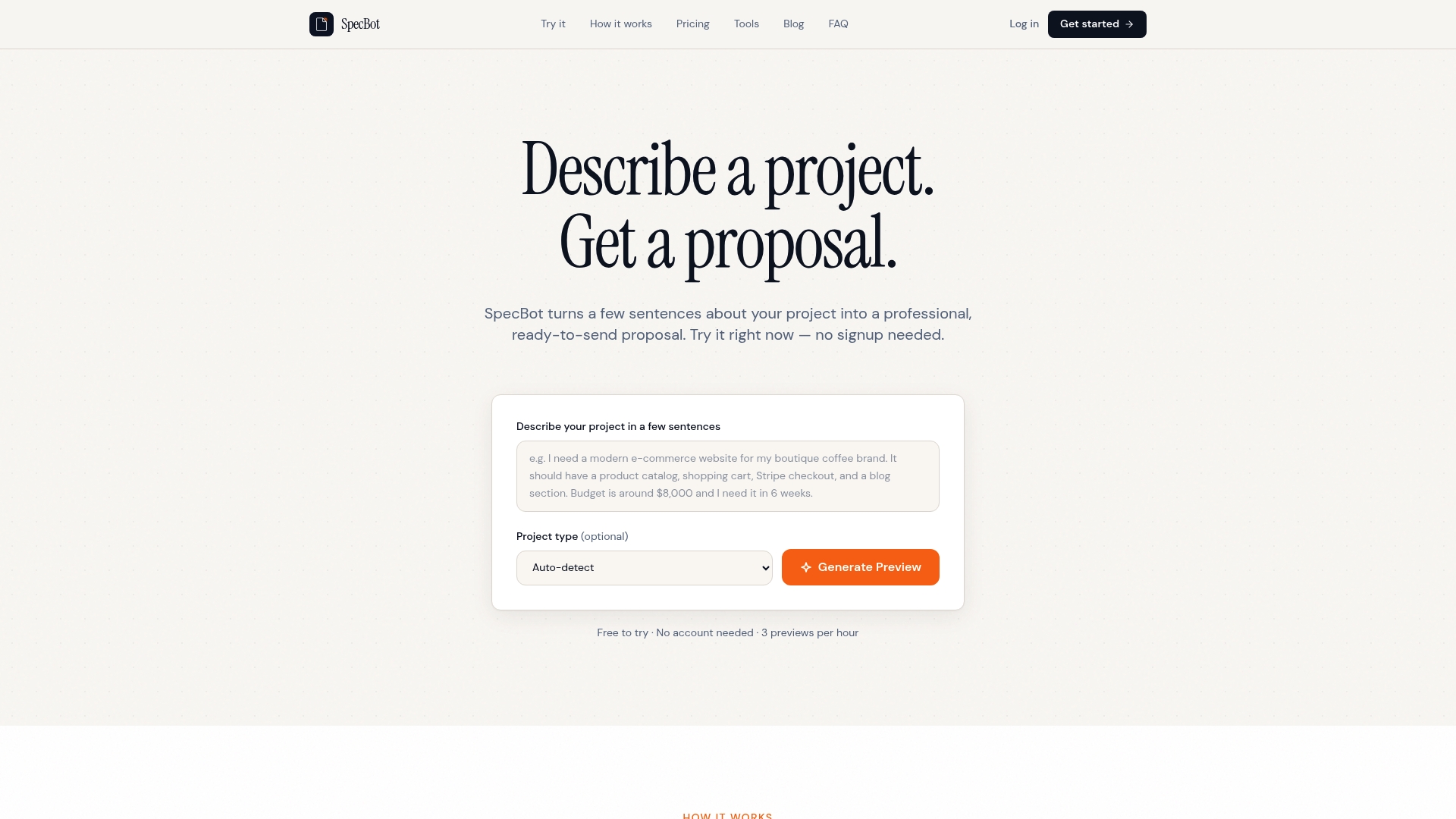
SpecBot includes free AI powered tools for project scope estimation and scope creep detection. The tool turns a few sentences about a project into a draft proposal you can edit and send. It also offers shareable proposal links so clients can view documents without creating an account.
Core Features
SpecBot creates AI generated proposals from simple project descriptions and offers industry specific templates you can pick and adapt. The editor stores reusable content blocks so you can drop prewritten sections into new proposals and keep language consistent. Plans include multiple tiers for solo freelancers and agencies, plus shareable proposal links and white labeling on higher levels.
Key Differentiator
SpecBot focuses on generating proposal drafts that match industry templates while letting you reuse and edit sections across proposals. That approach reduces repetitive writing and helps you present a consistent scope and pricing format to clients. The platform also bundles free estimation and scope monitoring tools that most proposal tools do not include.
Pros
SpecBot’s marketing materials state it can cut proposal writing from hours to seconds, which is the headline claim you will see. The editor supports extensive customization, so you can refine tone, pricing, and deliverables after the draft is created. The suite of templates and reusable sections fits freelancers who send many similar proposals and agencies that need consistent client facing documents.
Cons
-
Limited evidence on AI draft quality or accuracy. Reviews do not provide deep detail on how polished the first drafts arrive.
-
Picking the optimal plan can be confusing for very small teams or larger teams with complex needs. The tier options overlap for some workflows.
-
API access and white labeling appear restricted to higher tier plans. Those features are not available on the entry level option.
When It May Not Fit
If you need API level automation for an enterprise sized sales pipeline, this product may restrict you because API access is limited to upper plans. If you want perfect first draft language without review, the AI generated content may still need careful editing. If your team is a single user on the tightest budget, the range of plans may add decision friction.
Who It’s For
Freelancers and small and medium sized agencies that send many proposals will find value from fast draft generation and reusable sections. If you handle creative or digital projects and you want a consistent client facing proposal format, this product matches that need. Teams that require white labeling or team wide automation will want a higher tier.
Real World Use Case
A digital marketing freelancer uses SpecBot to produce tailored proposals for new leads. SpecBot reports the workflow saves hours on writing and can increase win rates by allowing faster follow up. The freelancer edits pricing and timelines, then shares a link so the prospect can review without signing up.
Pricing
Pricing starts at $9/month for individual freelancers and scales up to $79/month for agency plans that support unlimited team members. The vendor offers Pro, Team, and Agency tiers with higher level features such as white labeling and API access reserved for upper tiers. You choose a tier based on whether you need team seats or agency branding.
Website: https://specbot.dev
Proposely
At a Glance
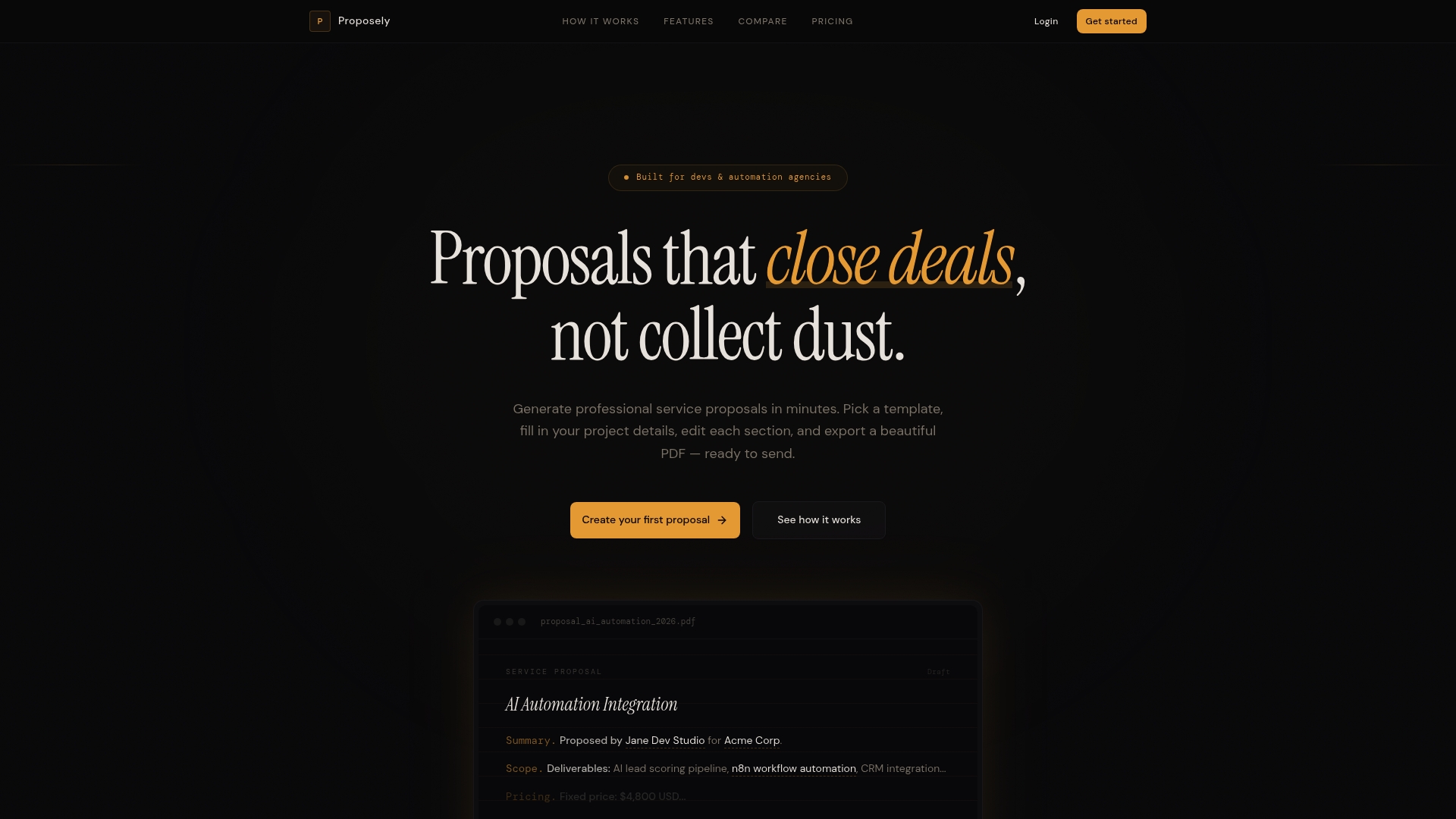
Four project templates target SaaS, landing pages, automation workflows, and AI integrations. The editor supports inline edits for Summary, Scope, Deliverables, Timeline, Pricing, and Terms. Users can clone proposals, use multi currency support, and export a client ready PDF in seconds.
Core Features
Proposely includes four purpose built templates and default copy tuned for software and AI projects, which reduces initial drafting time. The editor lets you change each section inline and save reusable proposals to a library. Instant PDF export produces branded, clean documents without extra formatting work.
Key Differentiator
The tool focuses strictly on software and AI engagements with templates and starter copy that reflect technical scopes and deliverables. That focus reduces the editing you must do when proposing development work. It appeals to technical freelancers who want proposals written in the language clients expect.
Pros
Proposely makes proposal creation fast for developers, freelancers, and automation agencies by pairing targeted templates with inline editing. The cloning feature helps you assemble a proposal library so you reuse proven scopes and pricing. Built in PDF export saves time otherwise spent adjusting layout and branding.
Cons
-
Limited third party connections are listed, so you may need manual exports for CRMs or invoicing tools.
-
Team collaboration and client portal features are fewer than in larger proposal platforms. Some team oriented features remain slated for future release.
-
Advanced proposal analytics and deeper workflow automation are not yet available, which can slow team reporting.
When It May Not Fit
If your team relies on tight CRM or accounting integrations, Proposely may not match your workflow today. Large agencies that need full featured client portals and analytics will likely wait for the announced features before committing.
Who It’s For
Freelancers and independent developers who sell software, AI integrations, or automation setups will get the most value. Automation agencies that deliver defined project scopes can use the templates to speed proposal turnaround. If you need quick, technical proposals with minimal layout work, this tool fits.
Real World Use Case
A freelance developer preparing an AI integration edits the AI template, replaces the scope and timeline sections inline, and clones an earlier pricing module. The developer then exports a branded PDF and sends it to the client within minutes, cutting proposal lead time.
Pricing
Plans are subscription based and billed monthly via PayPal. The Pro plan for freelancers starts at $10/month. The Agency plan for teams starts at $25/month. Pricing is listed as of 2026.
Website: https://proposely.dev
SendQuote
At a Glance
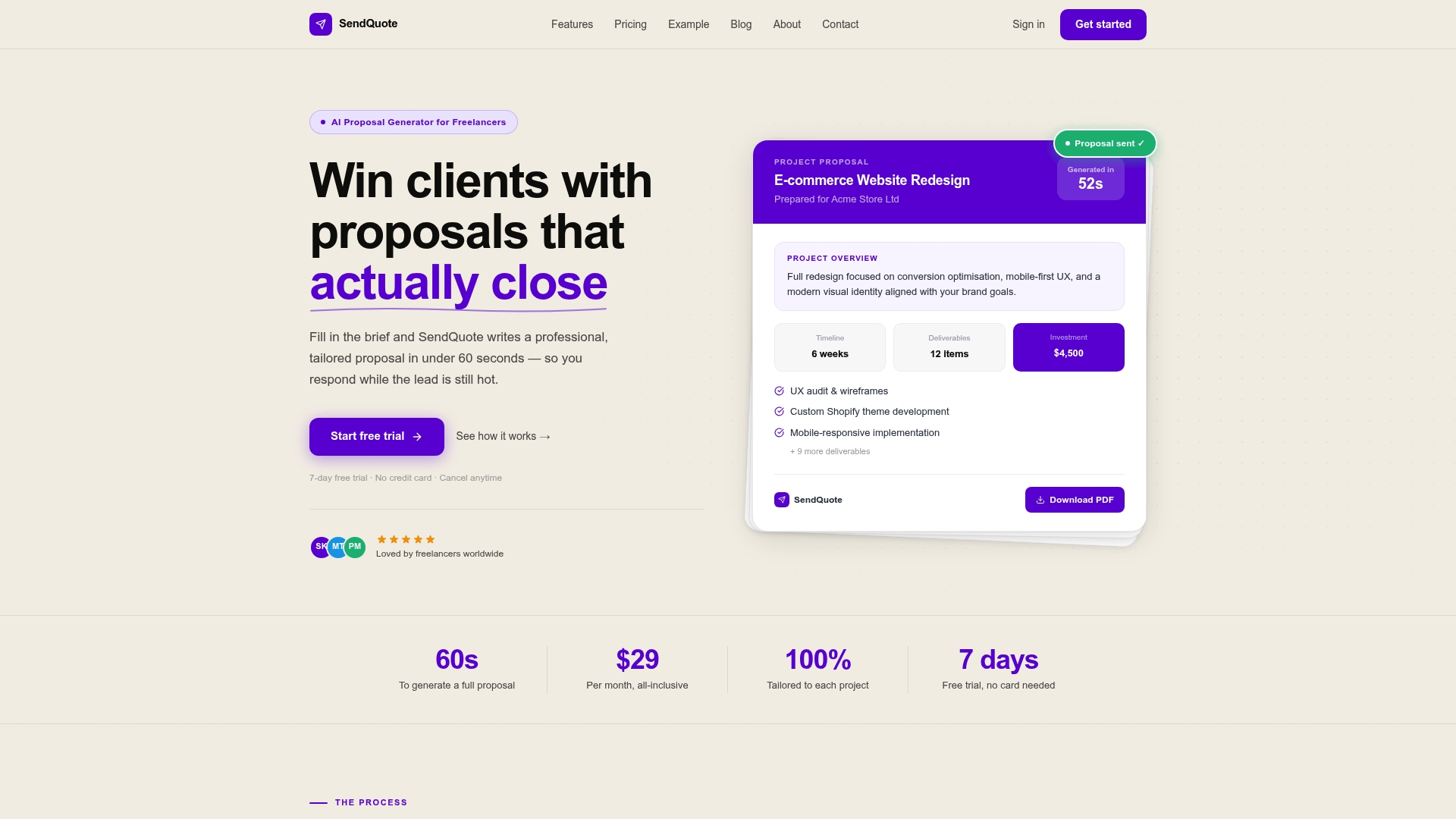
SendQuote claims proposals can be ready in 60 seconds using GPT-4 to draft the content. The vendor advertises one click client acceptance and automated follow up reminders. The tool targets solo freelancers who need fast, professional PDFs and basic analytics.
Core Features
SendQuote uses GPT 4 to generate proposal copy and pairs that drafting with professional PDF export and client acceptance tracking. It supports automated follow up reminders, proposal expiry timers, and simple win rate analytics. The feature set focuses on generating, sending, and tracking individual proposals quickly.
Key Differentiator
The product centers on speed for solo operators and removes per document fees. That focus means SendQuote prioritizes quick proposal creation and clean PDF output over deep template customization or team workflows. The pricing model favors freelancers who send many proposals without extra charges.
Pros
AI generated proposals cut drafting time and let you respond to leads right after a call. Professional PDF export improves presentation and reduces formatting chores. Automated follow up reminders and expiry timers help nudge prospects and keep proposals from going stale. Flat pricing at $29/month with no per document fees makes monthly cost predictable for solo freelancers. Minimal setup and a short learning curve let you start sending proposals the same day.
Cons
-
Limited to individual freelancers and solo professionals. Teams will miss collaboration controls and role management.
-
Template customization is basic. You cannot heavily modify layouts or create complex branded templates.
-
No integrated CRM or project management features. You will need separate tools for client records and task tracking.
-
No free tier. The product offers only a 7-day free trial before paid billing.
When It May Not Fit
If your business runs with a team, you will need proposal software that supports multiple seats and shared templates. Agencies that require CRM integration and hand off proposals into a project pipeline will find the feature set thin. Buyers who need deep template control or advanced branding will want a different product.
Who It’s For
Freelancers, solo consultants, and small business owners who prioritize speed and simplicity will get the most value. This product fits web designers, developers, and marketing freelancers who need to send polished proposals quickly after discovery calls. It suits people who prefer predictable monthly billing and low administration.
Real World Use Case
A freelance web designer finishes a discovery call and uses SendQuote to generate a tailored proposal in minutes. The designer exports a branded PDF, sends it with one click, and gets notified when the client opens and accepts. Automated follow ups reduce manual chasing and free up hours for billable work.
Pricing
SendQuote charges $29/month and includes a 7-day free trial. The single price covers unlimited proposals without per document fees, aimed at solo freelancers looking for predictable costs.
Website: https://sendquote.dev
Comparison of alternatives
Those evaluating web development proposal platforms encounter a choice among resources designed to suit varying productivity and customization needs.
Differentiation in Features and Utility
Promptly Freelance connects pre-designed prompts with documented freelance outcomes, offering a unique educational perspective that ties specific prompts to successful project examples. Inspiratory and tailored, it best suits freelancers and small business owners aiming to refine their proposal crafting using proven methods. However, it lacks built-in integration with additional business tools or services, potentially limiting its utility for professionals seeking automation.
Alternatively, Bonsai is a client management platform, centralizing proposals, contracts, task scheduling, and invoicing. While powerful, its cost scalability and reliance on third-party integrations could be inconsistent with the needs of individual freelancers. On the other hand, SpecBot emphasizes streamlining the proposal drafting through customizable AI-generated content and shareable client links. However, its higher-tier features may not justify the expense for smaller operators. Proposely, tailored for technical projects, includes PDF exporting and inline editing for optimized document turnaround. Yet, its constraints on third-party connections limit its scope. Finally, SendQuote focuses on rapid, automated proposal generation and is an tool for solo freelancers prioritizing simplicity in proposal processes.
Usability for Freelancers and Agencies
Freelancers and agencies will find different features across these products. Promptly Freelance excels in providing tested methods suitable for immediate implementation in client works. Conversely, Bonsai presents excellent organizational capabilities for larger teams needing a unified solution for project and financial management. For quick-draft needs, SpecBot and SendQuote present valid solutions via their automation features despite requiring edits to achieve polished results.
Best fit
- Freelancers and small business owners developing their proposal techniques through community-driven, case-study-backed language prompts may prefer promptlyfreelance.com.
- Service businesses requiring a connected management platform for handling contracts, finances, and task tracking will benefit from Bonsai.
- Businesses repeatedly creating similar proposals may appreciate SpecBot for its reusable content blocks and quick AI-assisted drafting.
- Freelancers requiring technical documentation proposals for software development and minimal formatting tasks will find Proposely appropriate for their needs.
- Solo operators prioritizing quick turnaround, straightforward cost structure, and efficient proposal management should consider SendQuote.
Our pick
For its exceptional contribution of real-world-tested prompts paired with educational case studies, Promptly Freelance stands out as the first recommendation for freelancers and small business owners aiming to hone their proposal techniques. However, teams looking for integrated project management and financial tools should consider Bonsai or SpecBot for more solutions.
For freelancers and small agencies seeking tools to streamline proposal creation while leveraging reusable and high-performing templates, the comparison below highlights both features and considerations for industry-selected options.
| Product | Core Feature | Key Differentiator | Pricing | Notable Limitation |
|---|---|---|---|---|
| Promptlyfreelance | Ready-to-use prompts and community feedback | Pairs prompts with documented outcomes | Price not published | Educational content only; no automation |
| Bonsai | Integrated CRM, proposals, contracts, and invoicing | Single workspace for client and financial tools | $9–59/month | Some features planned for future release |
| SpecBot | AI-generated proposals and reusable content blocks | Industry templates for consistent proposal drafting | $9–79/month | Limited evidence on AI draft quality |
| Proposely | Inline editable proposals with technical templates | Pre-tuned for software and AI-focused engagements | $10–25/month | Limited third-party connections |
| SendQuote | Fast GPT-4 proposals and follow-up reminders | Speed-focused tool for solo freelancers | $29/month | Basic template customization; no free tier |
How to Choose Web Development Proposal Templates That Improve Your Client Pitches
Freelancers and solo consultants often face difficulties drafting clear and effective web development proposal templates that win clients without spending hours creating content from scratch. This challenge includes pricing projects fairly, managing proposal language, and tailoring scopes quickly to meet client needs.
Promptlyfreelance offers ready-to-use prompts and detailed guides proven in real freelance projects. You get tested proposal outlines and pricing paragraphs ready to adapt, cutting preparation time drastically. The platform supports freelancers by providing community feedback to refine tone and content, helping you send precise and persuasive proposals faster.
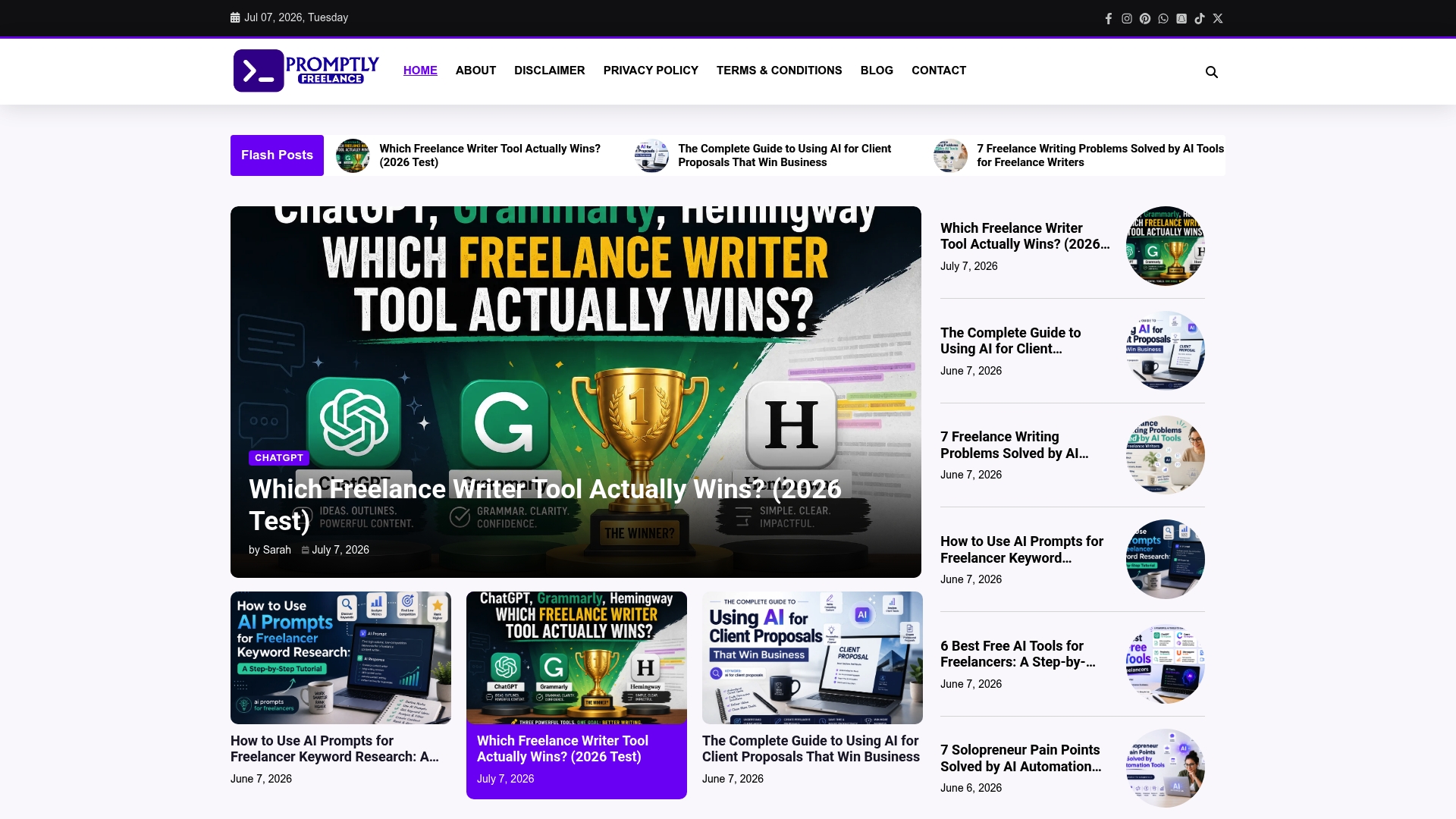
Check out the Freelance Business Archives to access practical tools that address common freelance challenges. Visit Promptlyfreelance now to use proven prompt templates that sharpen your web development proposals and improve your chances to win projects.
FAQ
What advantages does Promptlyfreelance offer for creating web development proposals?
Promptlyfreelance allows freelancers to use ready-to-use prompts for proposals, cutting preparation time significantly. It features various prompts focusing on real project case studies, which helps provide immediate practical use. Consider using Promptlyfreelance to enhance your proposal efficiency and effectiveness.
How does the pricing of Promptlyfreelance compare to other proposal platforms?
Bonsai offers pricing tiers from $9 to $59 per user per month. In contrast, Promptlyfreelance provides a library of prompts at no cost, making it a more accessible option for freelancers looking to save on overhead. Opt for Promptlyfreelance if you seek cost-effective solutions for proposal writing.
Which platform is better for collaborative projects—Bonsai or Promptlyfreelance?
Bonsai includes robust collaboration features tailored for teams, such as client portals and project management integrations. However, Promptlyfreelance excels in providing immediate, reusable prompts and case studies for solo freelancers focusing on individual proposals. If you’re working solo and need practical templates, choose Promptlyfreelance.
Can I access expert feedback on proposals with Promptlyfreelance?
Promptlyfreelance offers a community forum where users can receive expert feedback on their proposals and prompts. This interactive feature helps in refining content and ensuring it meets client expectations. Engage with this community to elevate your proposal quality.
How user-friendly is the interface of Promptlyfreelance for creating proposals?
Promptlyfreelance’s platform is designed to be intuitive, allowing freelancers to easily copy and adapt prompts for their proposals. The straightforward design makes it accessible for users of all levels, ensuring you can create effective proposals without a steep learning curve. Start using Promptlyfreelance to streamline your proposal process.