
Workflow optimization is the systematic process of analyzing your business operations, cutting out the steps that waste time, and applying automation where it genuinely helps. At its core, it comes down to three things: identifying bottlenecks, eliminating redundant steps, and standardizing what remains before you ever touch a software tool. Done right, it touches every industry and every team size, from a solo freelancer managing client proposals to a hospital billing department processing thousands of claims a week.
The key terms worth knowing upfront: process cycle efficiency (PCE) measures the ratio of value-added time to total cycle time, giving you a single number to benchmark before and after changes. Modular workflow design means building processes in reusable blocks so you can swap or update one piece without rebuilding everything. Both concepts matter whether you’re mapping a five-step approval chain or a cross-department supply process.
Getting this right requires more than picking the right software. You need measurable goals, stakeholder buy-in from day one, and a clear picture of what your current process actually looks like, not what you assume it looks like.
Core elements of any solid optimization effort:
- Map the real process, not the assumed one
- Measure PCE before making changes
- Eliminate redundant handoffs and approval gates
- Standardize repeatable steps into templates
- Automate only after simplifying
Practical workflow optimization examples across industries
Real-world process improvement rarely looks like a textbook diagram. Here are concrete examples across common business functions, along with the tools and outcomes that make them work.
1. Employee onboarding automation
HR teams that automate onboarding replace manual email chains with triggered task sequences: IT provisioning, benefits enrollment, and manager introductions fire automatically on a new hire’s start date. The result is fewer dropped tasks and a faster ramp-up for new employees.

2. Centralized invoice processing
Finance departments that consolidate invoice intake into a single platform cut approval cycle time significantly. Instead of invoices bouncing between inboxes, a centralized queue routes each document to the right approver based on predefined rules, with automatic escalation if no action is taken within a set window.

3. Customer support ticketing
Support teams using structured ticketing systems assign, prioritize, and escalate issues without manual triage. Tags and routing rules handle the sorting; agents focus on resolution. Error rates drop because nothing falls through the cracks of an unmonitored inbox.
4. Inventory management in manufacturing
Workflow Products LLC, a custom software developer specializing in manufacturing and aerospace, builds MRP and warehouse management systems that trigger reorder alerts automatically when stock hits a defined threshold. Manual stock checks become exception handling rather than daily routine.
5. Healthcare revenue cycle management
Workflow Management and Optimization Inc. focuses specifically on healthcare practice management, offering revenue cycle management, claims denial management, and HIPAA-compliant billing workflows. Their back-office model gives practices 24/7 operational support without expanding in-house headcount.
6. Software development sprint cycles
Development teams using Jira or similar tools build parallel and sequential workflows that reflect actual dependencies. Parallel workflows let QA and documentation proceed simultaneously with development, cutting total sprint time without adding people.
7. Freelance client outreach and proposals
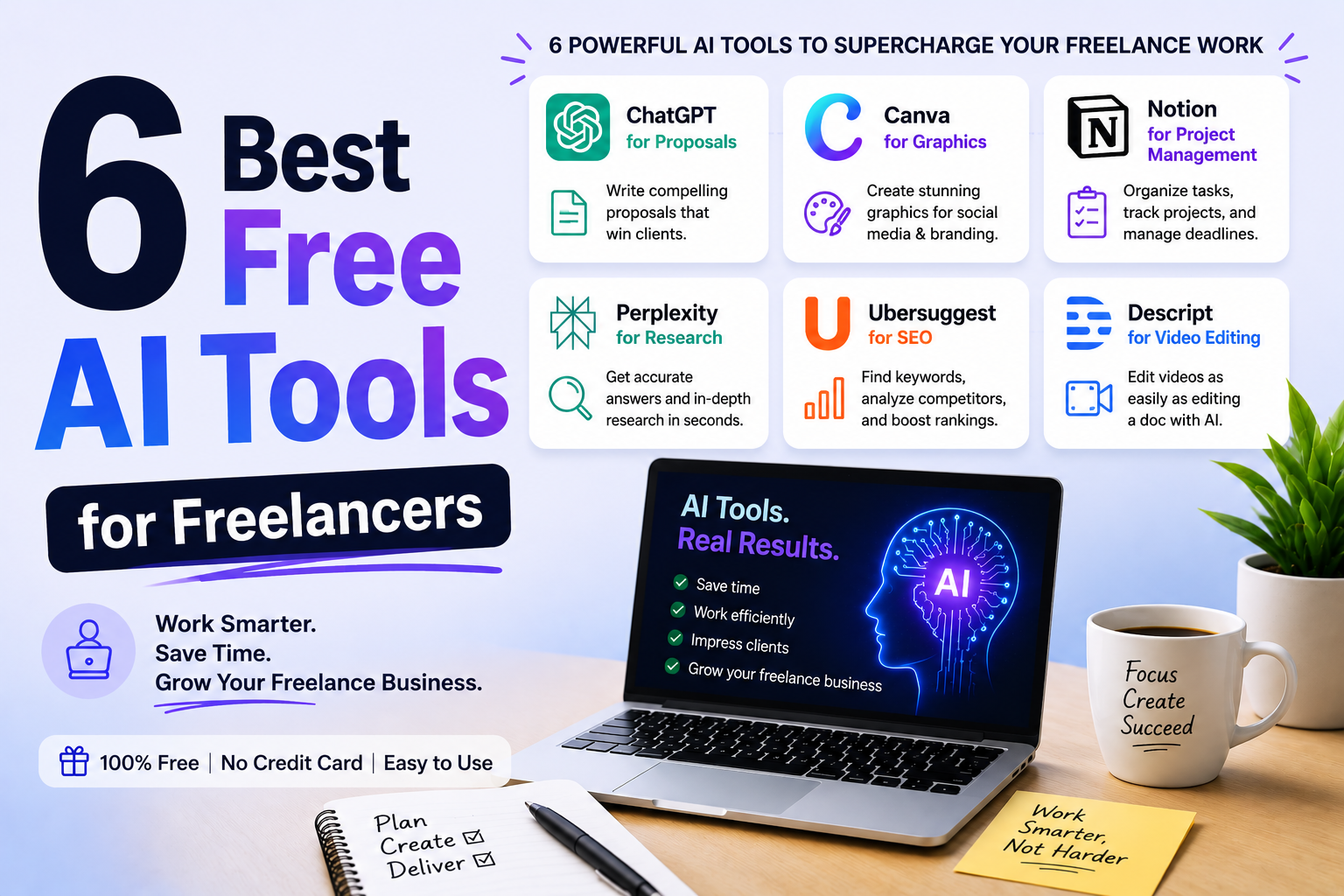
Freelancers using AI-driven prompt templates for client outreach and proposal generation cut the time spent on repetitive writing tasks. A structured prompt library replaces starting from scratch on every pitch.
| Process | Key improvement | Primary benefit |
|---|---|---|
| Employee onboarding | Automated task triggers | Faster ramp-up, fewer missed steps |
| Invoice processing | Centralized routing queue | Shorter approval cycle time |
| Customer support | Rule-based ticket triage | Lower error rate, faster resolution |
| Inventory management | Threshold-based reorder alerts | Reduced stockouts and manual checks |
| Healthcare billing | Automated claims and denial tracking | Higher reimbursement rate, HIPAA compliance |
| Sprint cycles | Parallel workflow structure | Faster delivery without added headcount |
| Freelance proposals | AI prompt templates | Less time on repetitive writing |
Best practices to successfully optimize workflows
The teams that sustain efficiency gains over time share a few habits that teams chasing quick fixes tend to skip.
Measure before you change anything. Process cycle efficiency gives you a baseline. Without it, you’re guessing whether your changes actually helped. A realistic first target is a moderate PCE improvement over a quarter, tracked monthly.
Set goals that are specific and scoped. “Improve the invoice process” is not a goal. “Reduce invoice approval cycle time from five days to two days by the end of Q2” is. Vague targets produce vague results.
Involve stakeholders before you redesign anything. Workflow optimization is as much cultural as technical. Early involvement from the people who actually run the process surfaces problems you’d never find in a flowchart, and it reduces the resistance that kills rollouts. Transparent communication about what’s changing and why keeps teams moving in the same direction.
Design for change, not permanence. Modular workflow design means building processes in reusable blocks. When a tool changes or a regulation shifts, you update one module rather than rebuilding the whole chain. This prevents the technical debt that accumulates when workflows are treated as fixed infrastructure.
Apply the 80/20 rule to automation. Focus automation on the 80% of standard, rule-based cases. Leave the complex exceptions for human judgment. Trying to automate every edge case creates brittle systems that break on anything unusual.
Audit continuously. Run a short retrospective after each major project cycle. What took longer than expected? Where did handoffs break down? Feed those findings back into your templates. Over time, each cycle runs cleaner than the last.
Pro Tip: Always simplify a process before automating it. Automating a broken workflow just moves you through the waste faster. Strip out redundant steps first, then apply automation to what remains.
AI and software tools that support workflow optimization
The platform landscape has matured considerably. Enterprise teams and freelancers alike now have access to tools that go well beyond basic task management.
Appian is recognized by Gartner as a Leader in Business Orchestration and Automation Technologies. Its platform orchestrates AI agents, people, and systems across critical enterprise processes, covering IT, finance, supply chain, and HR in a unified environment.
Nintex Global Ltd positions itself around agentic business orchestration, with particular strength in manufacturing, financial services, and government. Its on-premises AI capabilities matter for organizations with strict data governance requirements.
AutomationEdge Technologies Inc. offers an agentic AI automation platform built for banking, insurance, and cross-industry workflows. It combines RPA, Document AI, and pre-built workflow templates in a single platform, with outcome-based pricing that makes cost-benefit analysis straightforward before you commit.
For teams evaluating enterprise-grade options, the 2026 enterprise guide to AI workflow automation covers deployment models and ROI frameworks worth reviewing before selecting a platform.
Freelancers and small teams have their own set of tools worth knowing:
- Promptlyfreelance provides ready-to-use AI prompt templates covering client outreach, proposal generation, and time management, purpose-built for freelance workflows
- Low-code automation platforms connect existing apps without requiring technical expertise
- Project management tools with visual boards and dependency tracking reduce status-update overhead
- AI-native email tools cut response time and protect focus hours
Freelancers who build structured prompt libraries for recurring tasks, such as client onboarding emails, project scoping questions, and proposal drafts, report spending less time on administrative writing and more time on billable work. The compounding effect of even small time savings across dozens of client touchpoints adds up quickly across a year.
What successful workflow optimization looks like in practice
The most instructive examples share one pattern: the team measured first, changed second, and measured again.
A manufacturing firm using custom MRP software from Workflow Products LLC reduced manual data entry in its production scheduling process by building automated bill-of-materials updates tied directly to purchase orders. The change eliminated a daily reconciliation step that had required two staff members each morning.
Healthcare practices working with Workflow Management and Optimization Inc. have used automated claims denial management to reduce the time between claim submission and reimbursement. By routing denied claims to a dedicated review queue with pre-populated appeal templates, practices cut the manual follow-up burden on billing staff.
On the enterprise side, Appian’s process orchestration model allows organizations to replace fragmented point solutions with a single platform that tracks every step of a critical process. The practical benefit is visibility: any stakeholder can check the status of a workflow in real time without requesting a status update from the team running it.
Common challenges and how to avoid them
Most workflow optimization efforts fail for predictable reasons, and knowing them in advance saves a lot of backtracking.
Automating before simplifying is the most common mistake. Teams identify a slow process, apply automation, and declare the problem solved. But if the underlying process has unnecessary steps, automation just accelerates the waste. Always map and simplify first.
Measuring activity instead of outcomes produces misleading data. Tracking how many tasks your team completes per week tells you about volume, not efficiency. PCE, cycle time, and first-time-right percentage tell you whether the work is actually getting done well.
Skipping stakeholder involvement creates adoption problems. A perfectly designed workflow that people route around is worthless. Resistance is usually a communication failure, not a people problem. Involve the team in the design phase and explain the reasoning behind each change.
Treating workflows as static leads to gradual decay. Processes that worked well six months ago may have accumulated new steps, new exceptions, and new tools that nobody formally integrated. Quarterly reviews prevent this drift before it becomes a full rebuild.
How to map and improve your existing workflows step by step
Start with your three most frequently used workflows, not your most complex ones. Frequency matters because even a small improvement on a high-volume process multiplies across every instance.
Step 1: Document what actually happens. Talk to the people doing the work. Ask where they get stuck. Map every step, every handoff, and every approval gate. The gap between the assumed process and the real one is usually where the biggest inefficiencies hide.
Step 2: Measure your baseline. Calculate PCE for each workflow: divide value-added time by total cycle time. Also track cycle time, wait time, and error rate. These numbers are your before-state.
Step 3: Cut what doesn’t add value. Apply the 80/20 rule. Identify which steps create the most value and which exist out of habit. Every handoff that touches more than three people before completion is a candidate for consolidation.
Step 4: Standardize what remains. Build templates for your most common process types. New team members follow the template instead of relying on institutional knowledge from senior staff.
Step 5: Automate the repetitive remainder. Focus automation on high-frequency, rule-based tasks: status updates, task routing, deadline notifications. Start with one or two triggers on your highest-volume workflow, then expand.
Step 6: Review and adjust quarterly. Set a cadence. Compare current PCE against your baseline. Feed what you learn back into your templates.
Promptlyfreelance helps freelancers build better workflows
Freelancers face the same workflow challenges as larger teams, just with fewer people to absorb the inefficiency. Promptlyfreelance offers AI prompts and workflow guides built specifically for freelancers covering client outreach, proposal development, time management, and content creation. If you’re spending hours on tasks that should take minutes, the right prompt library changes that math fast. Explore the full resource library at Promptlyfreelance to find tools that fit your workflow today.
Key Takeaways
Effective workflow optimization requires measuring your baseline first, simplifying before automating, and reviewing processes on a regular cadence to prevent efficiency from decaying over time.
| Point | Details |
|---|---|
| Measure before changing | Calculate process cycle efficiency as your baseline before making any adjustments. |
| Simplify first, automate second | Strip redundant steps from a process before applying automation tools. |
| Involve stakeholders early | Early team involvement reduces resistance and surfaces problems flowcharts miss. |
| Use modular design | Build workflows in reusable blocks so one change doesn’t require a full rebuild. |
| Review quarterly | Set a regular cadence to compare current performance against your baseline and update templates. |